Episode II · Genre: FIRST STEPS
UP — UP – What Are You Up For?
What are you up for?
They already said they're up for it.
They already said “I'm up for it”. The first step just got easy.
- Status
- On the App Store
- Price
- Free
- Device
- iPhone
- Age
- 18 and over
Who it's for
For when you feel alone, or you're new somewhere and can't bring yourself to approach anyone.
- You just moved to a new cityPick your district and see who's up for coffee or sport right now. No distances, no location access.
- You need someone to talk toOpen a status for a talk and stay anonymous if you like. If your note shows signs of a hard moment, free support lines are shown.
- Your circle got smallerShow you're up for new friends. The other person already said they're up for it too, so the first step is easier.
- You need a sports partner or car adviceAsk with a status that has a timer; it closes on its own when the time is up.
Who it's not for. UP is not a dating app, and it's not for anyone under 18. If you meet someone, share your plan with someone close.
Synopsis
Open up to people.
UP is for adults who feel lonely or are new somewhere and can't bring themselves to approach anyone. Show what you're up for and for how long: 30 minutes, 2 hours, this evening or a day. People in your district see it on Discover and write to you, under their name or anonymously. Because the other person already said “I'm up for it”, the first step stops being scary. It's not a dating app; it's for coffee, a talk, sport or a new friend.
- Scene 1 Open your status Pick what you're up for and for how long; when the time is up, your status closes on its own.
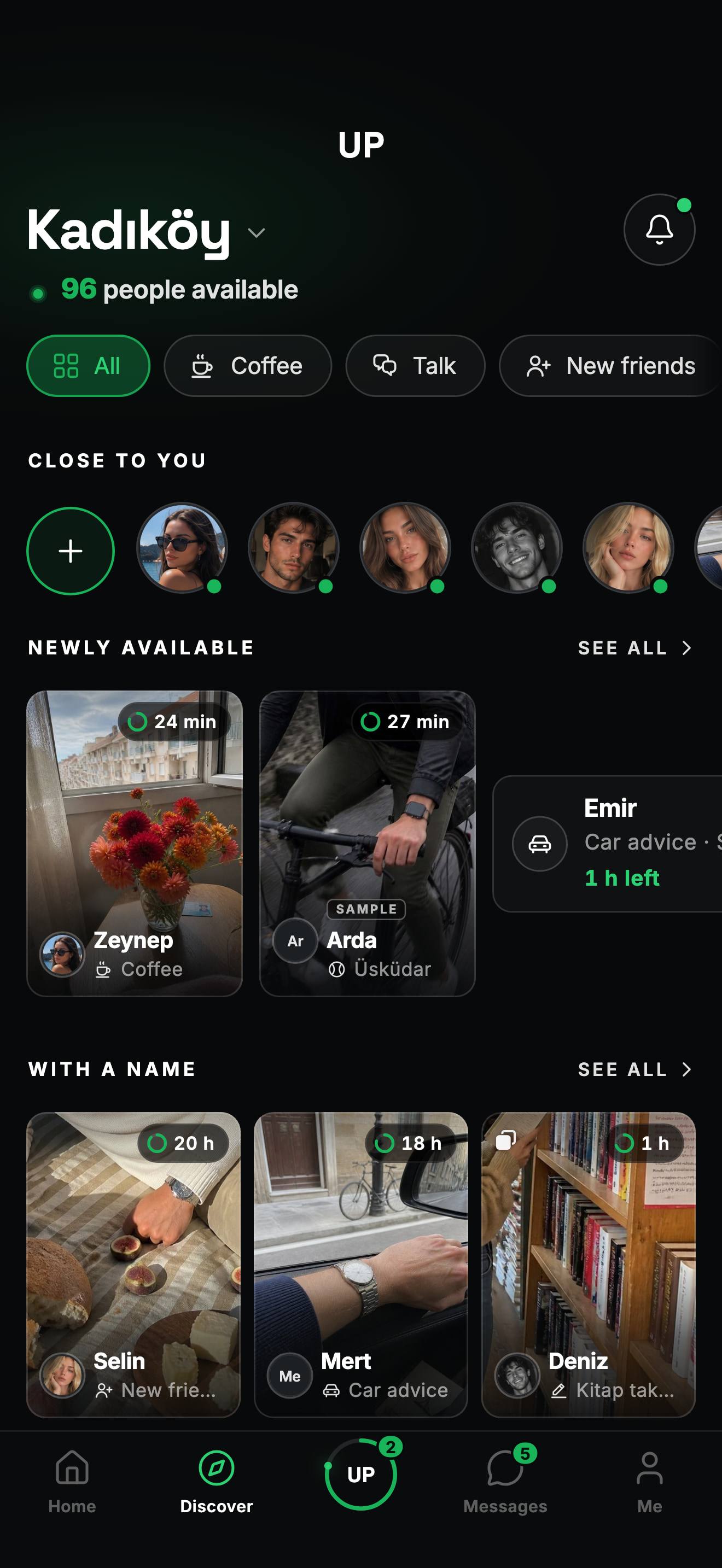
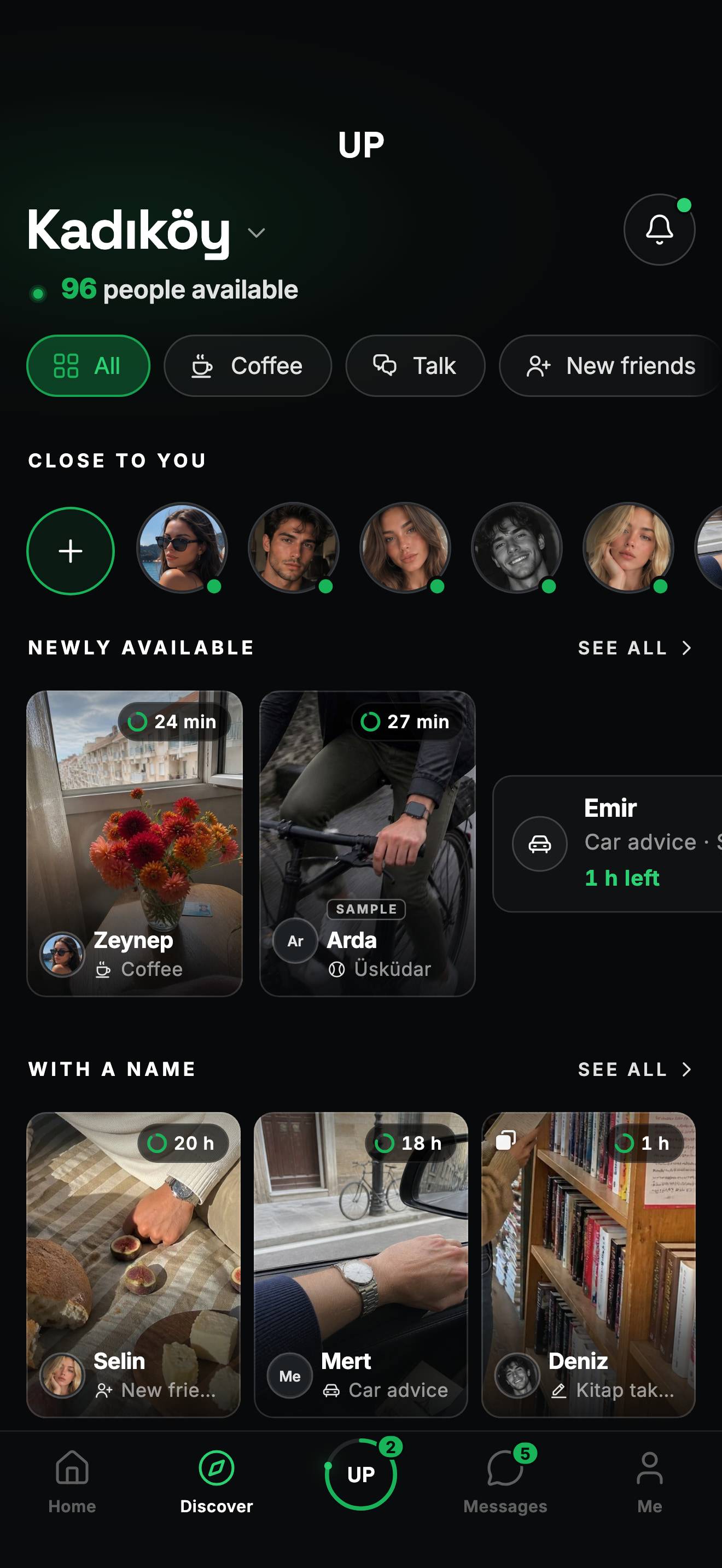
- Scene 2 They already said yes Discover shows who's up for something in your district right now; write to one of them, anonymously if you like.
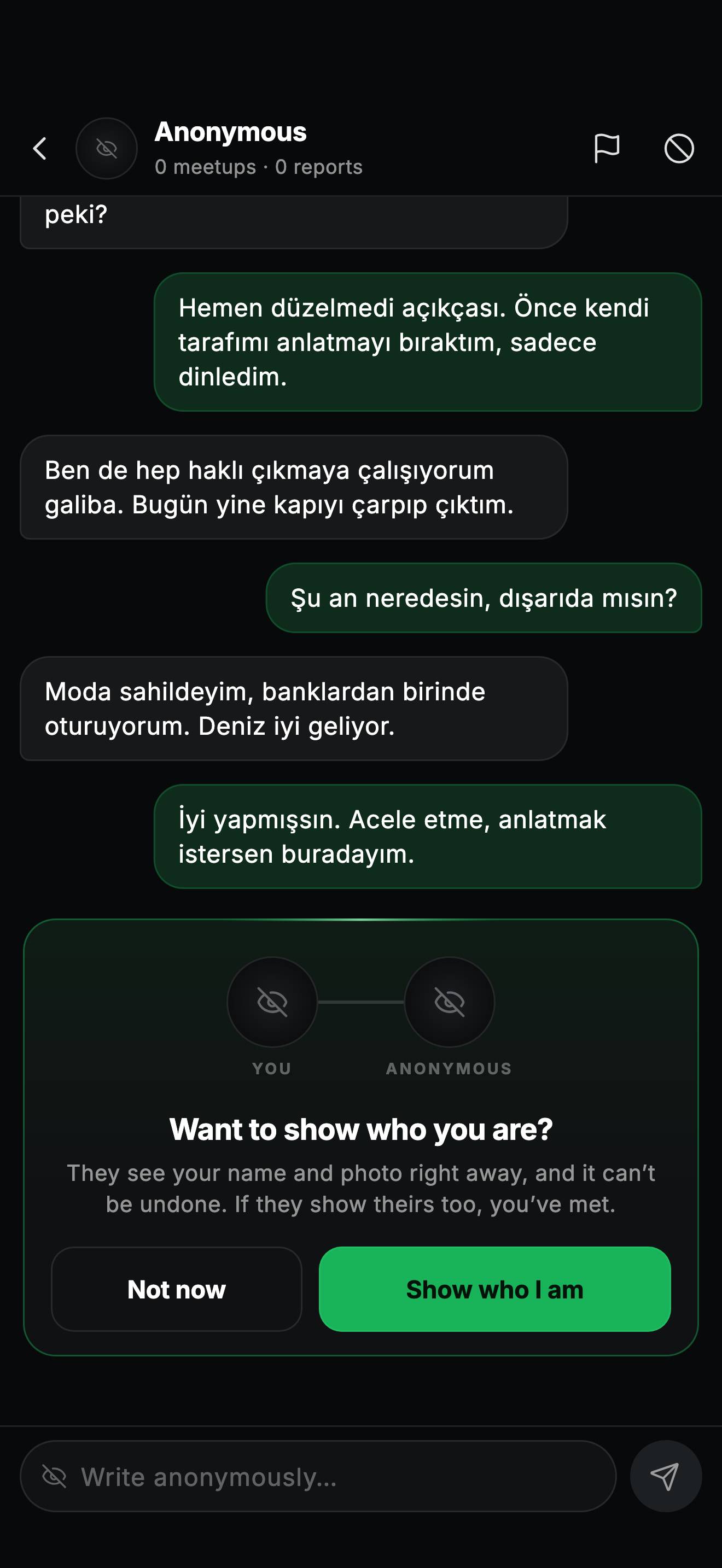
- Scene 3 Meet Show who you are when you're ready; when you both take the step, you've met.
In this episode
In this episode
A status with a timer
30 minutes, 2 hours, this evening or a day. Add 30 minutes twice if you like; it closes on its own when the time is up.
Discover by district
Your district first, then your city. Nobody's distance is shown; you pick your district.
Anonymous, and safe
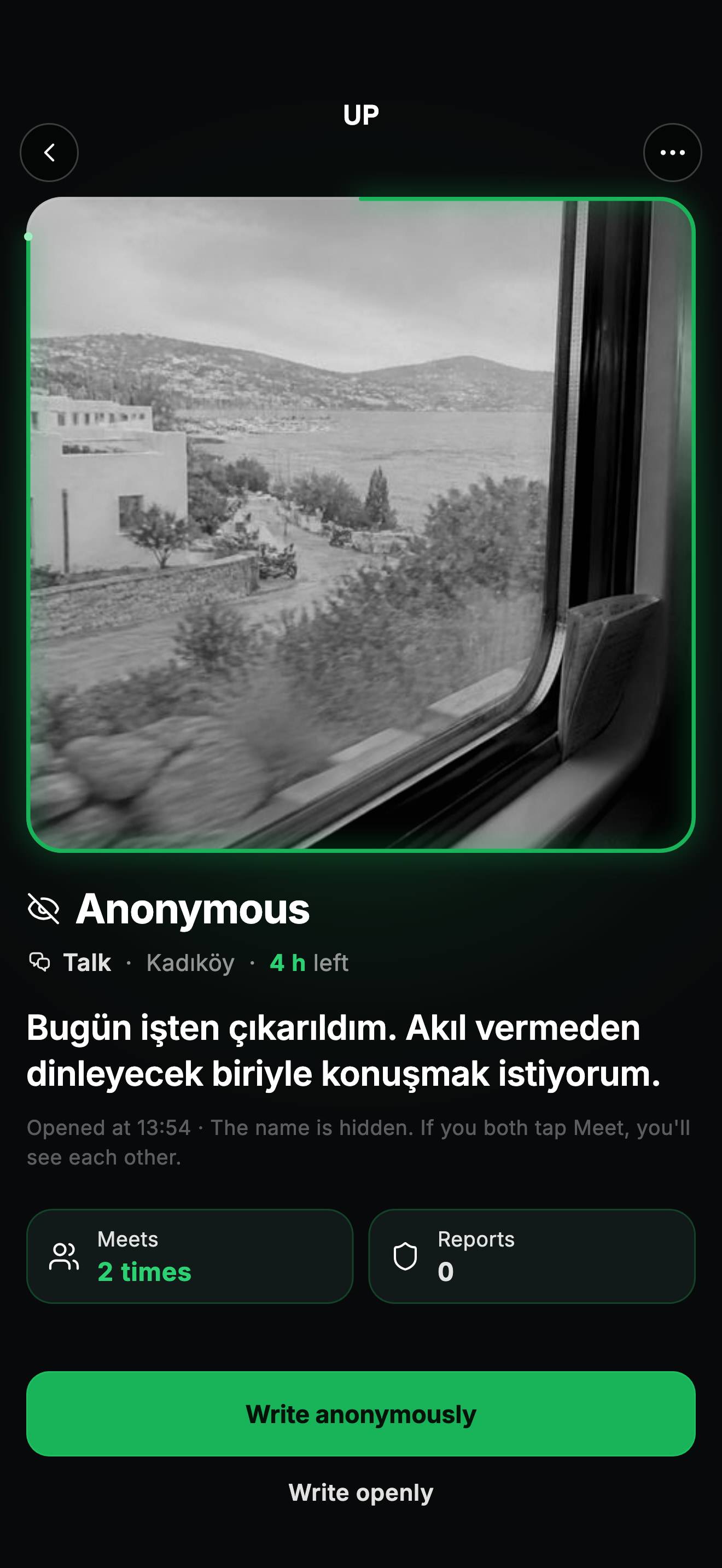
In an anonymous status your name doesn't show and neither does your face: the phone won't accept an anonymous photo with a face, and anonymous photos show in black and white.
Meet
Show who you are when you're ready, without waiting for the other side. When you both take the step, you've met.
UP's camera only
Status and chat pictures come from UP's own camera. Your library is only for your profile photo.
Before and after you meet
Your meeting plan stays on your phone; send it to someone close if you like. Afterwards, a question only you see: did you feel safe?
Screens
Stills from UP.
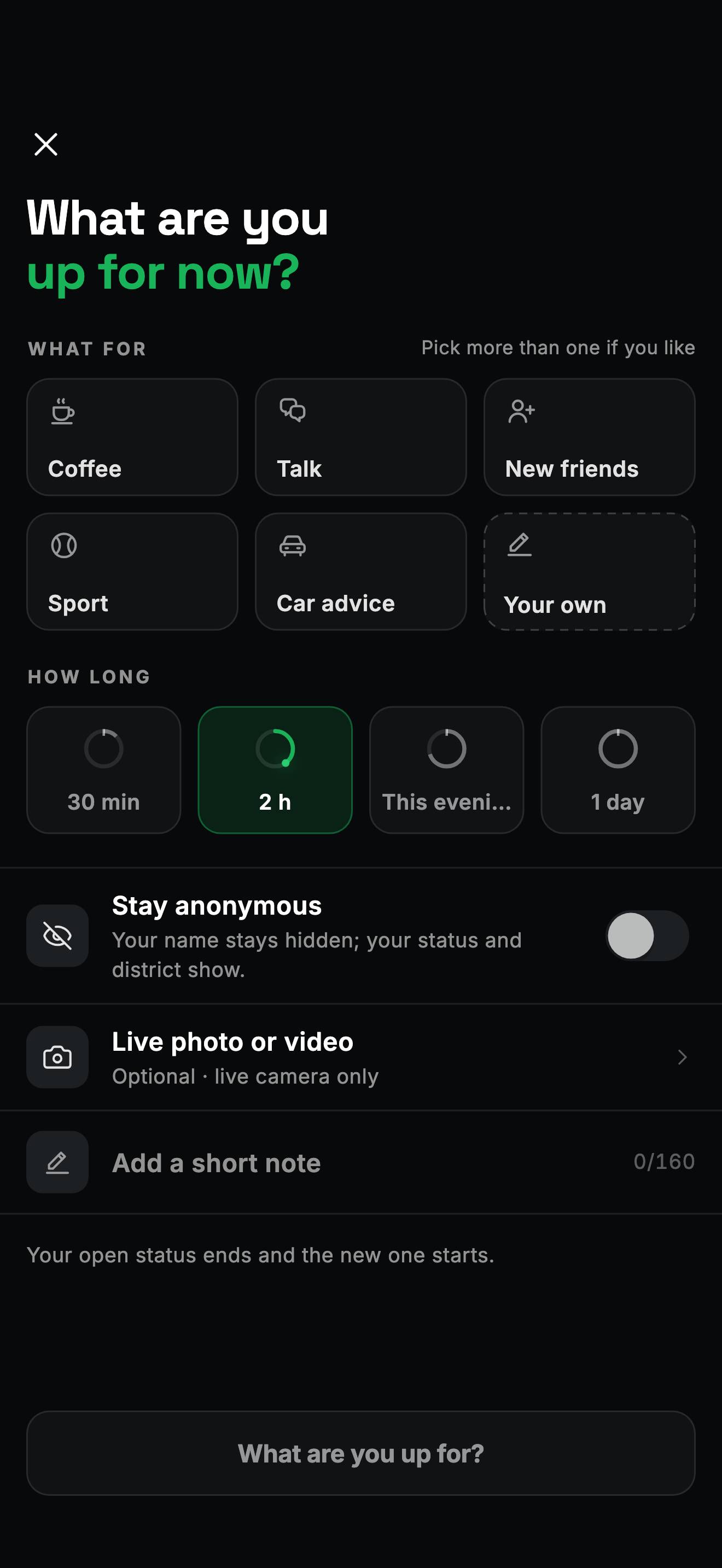

People, numbers and content in these screens are sample data.
Guides
Guides for this episode
Things worth knowing before you open the app.
- Apps to make friends (not dating): how to choose one that actually works Want an app for friends, not dates? How friend apps differ, a safety and privacy checklist, the main kinds of app, and how to get from chat to coffee.
- How to ask someone to hang out as friends (without it sounding like a date) How to ask someone to hang out as friends: what to say in person and by text, how to make it clear it isn't a date, and what to do if they say no.
- How to make friends after moving to a new city: a 90-day plan Just moved and know nobody? A week-by-week 90-day plan for making friends in a new city: where to go, what to say, and how long it really takes.
- How to make friends in Istanbul as a foreigner (and in Ankara or Izmir) Making friends in Istanbul as a foreigner: pick one neighbourhood and one weekly activity, learn a little Turkish, and meet new people safely.
- Meeting a new friend from an app: a safety checklist that isn't about dating Meeting someone from a friend app for the first time? A checklist for before, during and after, how much to share, and the warning signs to watch for.
- Why is it so hard to make friends as an adult? What the research says, and what to do Why making friends gets harder after school: what adult life takes away, how many hours a friendship needs, the liking gap, and what actually works.
FAQ
Questions about UP.
Is UP a dating app?
No. On UP you show what you're up for right now: coffee, a talk, new friends, sport or a line of your own.
Do I have to share my location?
No. UP never asks for location access and never shows distances; you pick your district and city.
What do people see when I'm anonymous?
Not your name or your face; anonymous pictures show in black and white. Your status, note, district, time left and your meet and report counts stay visible.
Can I post from my photo library?
Status and chat pictures come only from UP's camera. The library is only for your profile photo.
How long does my status stay open?
30 minutes, 2 hours, this evening or a day. You can add 30 minutes twice; it closes on its own when the time is up.
Does UP cost anything?
No. UP is free, with no in-app purchases and no ads.
What if someone bothers me?
Report and Block are on every status, profile and chat. The person isn't told; the team looks within 24 hours.
How do I delete my account?
Me → Settings → Delete account. It can't be undone, and UP's Sign in with Apple link is removed too.
Documents
Privacy policy, terms of use, rules and support, all specific to this app.
Contact
For questions, problems, complaints or requests about your data: team@standrank.com. Just tell us which app it's about.
Other episodes